Noteshelf - Notes, Annotations
Fluid TouchProductivity
4.31.07K Reviews
- Version
- 9.0.10
- Installs
- 100.00K
- Age Rating
- Everyone
Screenshots
Our Review of Noteshelf - Notes, Annotations
 Analysis by Appyee
I usually judge a note app by what happens after the first burst of enthusiasm: can I find the right page later, keep different kinds of work from tangling together, and still use it comfortably when I’m in a hurry? Noteshelf - Notes, Annotations is built around the feel of a paper notebook, but it reaches beyond handwriting with typed notes, audio, PDF markup, and planning tools. That mix makes it worth considering if you want one place for class notes, meeting pages, and personal planning rather than a separate app for each.
Choose it for the way you actually take notes
Before switching, I’d ask whether you think best on a page or in a stream of searchable text. Noteshelf makes most sense for people who like writing by hand, arranging information visually, or marking up documents. If your ideal note is a short sentence you can capture instantly and retrieve later, a lightweight text-first app may feel quicker. The key decision is not which app has the longest feature list; it is whether a notebook-style workspace matches the way you return to information.
It is a productivity app from Fluid Touch, and the store presents it as a paid download at $7.99. It has a 4.3 average from around 17,000 ratings, with more than 100,000 installs. Those figures suggest an established audience, but they do not tell me whether its particular workflow will suit you. I’d treat the purchase as a choice to invest in a handwriting-centered system, not as a guarantee that it will replace every other tool you use.
Where the notebook approach earns its place
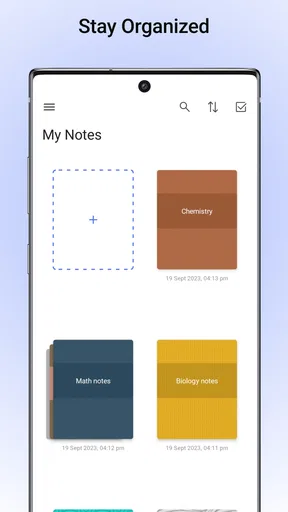
On opening the app, I found the notebook idea easy to understand: create a place for a subject or project, then put related pages inside it. That structure is useful when the material itself matters as much as the words. A student can keep lecture notes beside sketches and marked-up reading; someone planning a home project can collect measurements, reference pages, and quick written reminders without scattering them across unrelated documents.
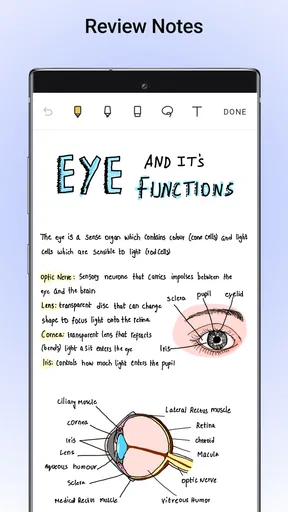
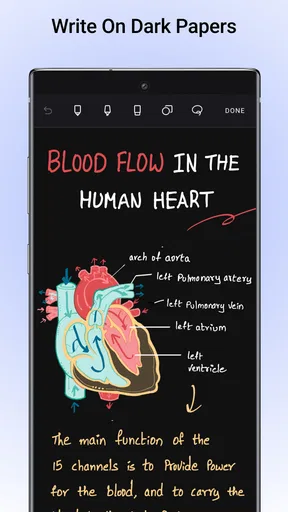
Handwriting is the clearest reason I’d choose it over a plain notes list. A stylus lets me lay out a page naturally, underline a point, or draw a rough connection between ideas. Handwriting recognition can also help turn handwritten material into something easier to find, though I would still write legibly and check important search results rather than assume every hurried scrawl will be recognized perfectly.
Templates can reduce the small friction of starting from a blank page. A lined sheet suits ongoing notes; a planner-style layout is more helpful when I want to think in dates, tasks, or sections. One practical tip is to decide what a notebook is for before filling it: broad notebooks are flexible, but a little purpose in the naming and layout makes later browsing less of a hunt.
Audio and documents in a real working day
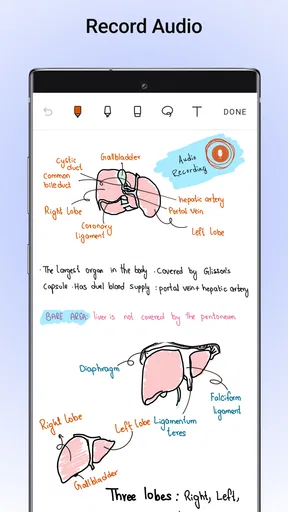
The audio option is especially useful when listening and writing compete for attention. In a meeting, I can note a decision or a name while recording the discussion, then return to the relevant moment when my shorthand is unclear. I would not use recording as an excuse to stop taking notes altogether: a short written marker for the topic or decision gives me a much better route back through the audio than a long recording with no context.
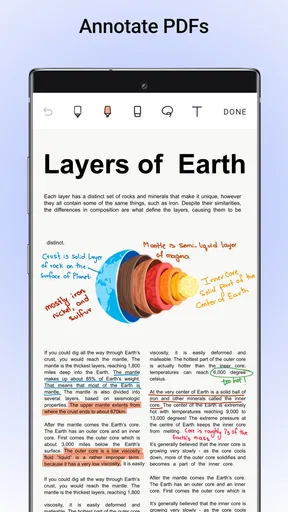
PDF annotation gives the notebook a second role. I can keep a document close to my comments instead of switching between a reader and a separate note file, which is handy for study material, draft review, or reference documents. The trade-off is that detailed markup is still a hands-on task; if your main job is managing large document libraries or editing files collaboratively, a dedicated PDF workflow may be more comfortable.
A realistic day might start with a planner page for the tasks I need to remember, continue with handwritten notes during a discussion, and end with comments on a PDF related to that work. The benefit is continuity: those items can live in a familiar notebook environment. The habit that makes it work is a quick end-of-day pass to give pages clear titles or put them in the right notebook. Without that small routine, a flexible system can become a pile of pages that is pleasant to write in but slower to search.
How it compares with other kinds of note apps
Compared with a basic notes app, Noteshelf puts more emphasis on the page: handwriting, visual organization, and document markup are central rather than extras. That makes it a stronger fit for someone who thinks spatially or wants a digital version of separate paper notebooks. A text-first alternative is usually the better choice for fast capture, short checklists, and notes that need to be edited heavily with a keyboard.
It also differs from a task manager. A planner page can help me see and record plans, but I would not assume that a notebook is a substitute for a dedicated system built around task status, reminders, or shared project responsibilities. If a missed deadline is your main problem, choose a tool whose central job is tracking tasks. If the problem is preserving the reasoning, sketches, and source material behind your work, Noteshelf’s page-based approach is more appealing.
For people who already use cloud documents as their main workspace, the question is whether another notebook adds enough value to justify maintaining it. Noteshelf’s export and sharing options can help move notes outward, but exporting is not the same as having every document behave like a shared live file. I’d keep a team’s authoritative documents in the place everyone already works and use this app for my own working notes, annotations, and planning unless the group has agreed on a common process.
Switching without making a mess
Moving to any notebook app has a hidden cost: old notes do not automatically become useful just because they have been imported or copied. Before committing, I’d start with one active subject or project rather than trying to rebuild my entire archive. Create a small set of notebooks, decide on a naming pattern, and test how you locate a page a few days later. That trial reveals more than spending an evening customizing covers before you know whether the organization holds up.
Think about device use before making it your only home for important material. Noteshelf is listed for Android and iOS, and the app’s version is 9.0.10, with Android 9 as the minimum operating-system requirement. The store’s age rating is Everyone. Those details help with basic compatibility decisions, but I would still check the current app experience on the devices I actually plan to use and keep a sensible backup habit for notes I cannot afford to lose.
One useful transition trick is to leave your old system in place as a reference while creating new work in Noteshelf. That avoids a rushed migration and lets you compare retrieval in ordinary use. After a few weeks, move only the material you genuinely revisit. The best archive is not necessarily the one with every historical note; it is the one where the information you need can be found without turning maintenance into a second job.
Where the experience can feel less convenient
A notebook gives freedom, but freedom can mean inconsistency. If I switch between handwriting, typing, planner pages, and PDF comments without a basic filing habit, I can end up with several kinds of information that are harder to scan together. Search helps, but it does not replace clear page titles and a predictable notebook structure. People who prefer a strict, automatic system may find this hands-on organization tiring.
Handwriting is also not ideal for every setting. On a phone, long handwritten pages can feel cramped compared with typing; in a fast conversation, tapping out a short note may be more reliable than reaching for a stylus. Audio can preserve detail, but reviewing a recording takes time, so it is most valuable when the discussion is worth revisiting rather than as a default for every casual conversation.
There is a learning curve in deciding how to combine the tools. I would not recommend buying it just because you want a digital planner if you already know you prefer calendar appointments and actionable reminders. Nor is it the obvious pick for someone who wants a minimal, free-form text inbox. The $7.99 price is easiest to justify when handwriting, annotation, and notebook organization will all be part of your regular routine.
Who I’d recommend it to
I’d point students toward it if they regularly write by hand, keep subject-based notes, and work through PDFs. It can also suit professionals who want meeting notes and reference pages together, especially when a quick sketch or handwritten emphasis communicates more than a block of typed text. Personal planners and journal keepers may appreciate the ability to shape pages around their own habits rather than use only a fixed text layout.
I’d suggest looking elsewhere if your work depends on fast keyboard entry, highly structured task tracking, or real-time team editing. It may also be a poor fit if you rarely revisit old notes: in that case, a simpler capture tool can be faster and less demanding to organize. My recommendation is strongest for people who enjoy writing on a page and are willing to spend a little time keeping that page system tidy.
First Impressions
Upon launching Noteshelf, the first thing that caught my eye was its clean and intuitive interface. It feels like a digital extension of a traditional notebook, which is both comforting and practical. The app is available on both Android and iOS, making it accessible for most users. The setup process was a breeze; within minutes, I was ready to start jotting down notes.
User Experience and Functionality
What really sets Noteshelf apart is its focus on versatility. Whether you prefer typing or handwriting your notes, this app has you covered. I personally love handwriting my notes with a stylus, and the app’s handwriting recognition is impressively accurate. It’s like having the best of both worlds—traditional note-taking with the advantages of digital technology.
Noteshelf also supports a wide range of templates, from simple lined paper to more complex planner layouts. This flexibility means you can customize your experience based on your specific needs. Need to annotate a PDF? No problem. Want to sketch a quick idea? Easy peasy. The app’s responsiveness ensures that whatever you’re doing, it feels natural and seamless.
Features That Stand Out
One of the standout features is the voice record functionality. For someone who attends a lot of meetings or lectures, this is a game-changer. You can record audio while taking notes, and the audio is automatically synced with your written notes. It’s a lifesaver for revisiting key points you might have missed.
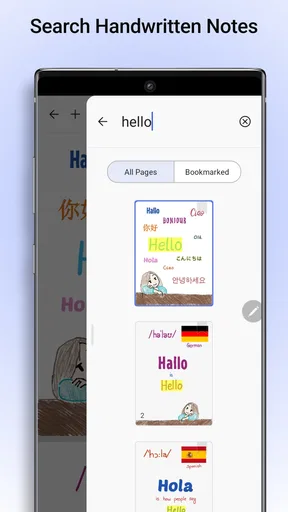
Another feature I found incredibly useful is the ability to organize notes into different notebooks and categories. This feature helps in keeping everything tidy and easily accessible. Plus, the search function is robust, allowing you to find specific notes or keywords with ease.
Integration and Sharing
Noteshelf doesn’t just stop at note-taking; it integrates seamlessly with other apps and platforms. You can easily export your notes to cloud services like Dropbox or Google Drive, ensuring your notes are always backed up and accessible from anywhere. Sharing notes with colleagues or friends is straightforward, making collaboration a breeze.
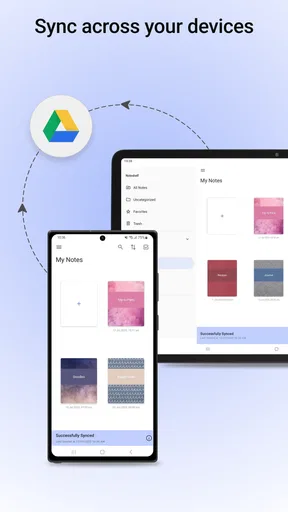
For those who work across multiple devices, Noteshelf offers synchronization across all your devices. Whether you’re on your phone, tablet, or computer, your notes are just a click away. This level of integration ensures that you’re never without your important information.
Customization and Personal Touch
Personalization is another area where Noteshelf shines. You can choose from a plethora of paper styles, cover designs, and pen colors to make your notes truly yours. This level of customization makes the app feel personal and tailored to individual preferences.
For those who love to be organized, the app offers a tagging system. You can tag your notes based on projects, subjects, or any category you choose. This system not only helps in organizing notes but also in retrieving them quickly.
Final Thoughts
In a world where digital organization is key, Noteshelf - Notes, Annotations delivers on its promise to simplify note-taking. It combines the best elements of traditional note-taking with cutting-edge technology, making it a must-have app for students, professionals, and anyone in between. Whether you’re a detail-oriented planner or a creative mind in need of a canvas, Noteshelf caters to all.
If you’re still on the fence about trying out a new note-taking app, I’d say give Noteshelf a shot. Its blend of functionality, user-friendly design, and customization options make it a standout choice in the crowded world of productivity apps. You might just find it to be the perfect companion for your digital note-taking journey.
Verdict
Strengths of Noteshelf - Notes, Annotations
- User-friendly interface for easy navigation.
- Supports a variety of file formats.
- Customizable templates and layouts.
- Smooth handwriting experience.
- Syncs across devices seamlessly.
Limitations of Noteshelf - Notes, Annotations
- Limited free version features.
- Occasional lag on older devices.
- No real-time collaboration tools.
- Requires in-app purchases for extras.
- Voice recording lacks advanced features.
Similar Picks in This Category
View All
Google Calendar
Google LLC4.6

Google Drive
Google LLC4.3

Google Assistant
Google LLC3.9

Microsoft OneDrive
Microsoft Corporation4.6

Samsung Calendar
Samsung Electronics Co., Ltd.4.1

Microsoft OneNote: Save Notes
Microsoft Corporation4.6
Frequently Asked Questions
What platforms is Noteshelf available on?
Noteshelf is available on both Android and iOS platforms. Users can download the app from the Google Play Store for Android devices and from the Apple App Store for iOS devices. The app is designed to work seamlessly across different devices, ensuring a smooth note-taking experience whether you use a smartphone or a tablet.
Can I use Noteshelf without an internet connection?
Yes, Noteshelf allows you to create and edit notes offline. You can take notes, draw, and annotate without needing an internet connection. Once you reconnect to the internet, any changes you made offline can be synced to your cloud storage if you have that feature enabled.
Does Noteshelf support handwriting recognition?
Noteshelf offers handwriting recognition, allowing you to search and convert your handwritten notes into text. This feature supports multiple languages and enhances the usability of the app for those who prefer writing by hand using a stylus. The accuracy of recognition is generally high, making it a popular feature among users.
Is it possible to customize my notes in Noteshelf?
Yes, Noteshelf provides extensive customization options. You can choose from various paper templates, colors, and pen styles. Additionally, the app supports importing images and PDFs, allowing you to annotate and customize your notes further, making it a versatile tool for personal and professional use.
What collaboration features does Noteshelf offer?
Noteshelf allows users to share notes easily through email or cloud services like Dropbox and Google Drive. While it does not currently support real-time collaborative editing, its robust sharing options facilitate collaboration by allowing others to view and annotate shared notes. This makes it suitable for both individual and team projects.
